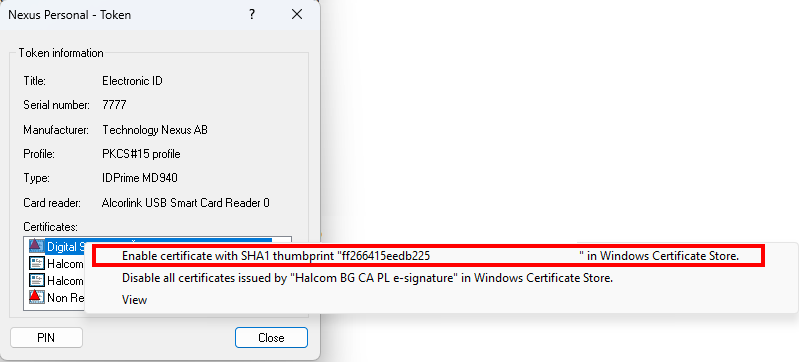
If you see a yellow triangle over “Electronic ID” in the Nexus Personal application, please follow the steps below.
1
Double-click the Electronic ID with the left mouse button
2
In the lower part of the window that opens, right-click each certificate marked with a red triangle and select Enable certificate…