If you have not, download Nexus Personal from the following button.
1
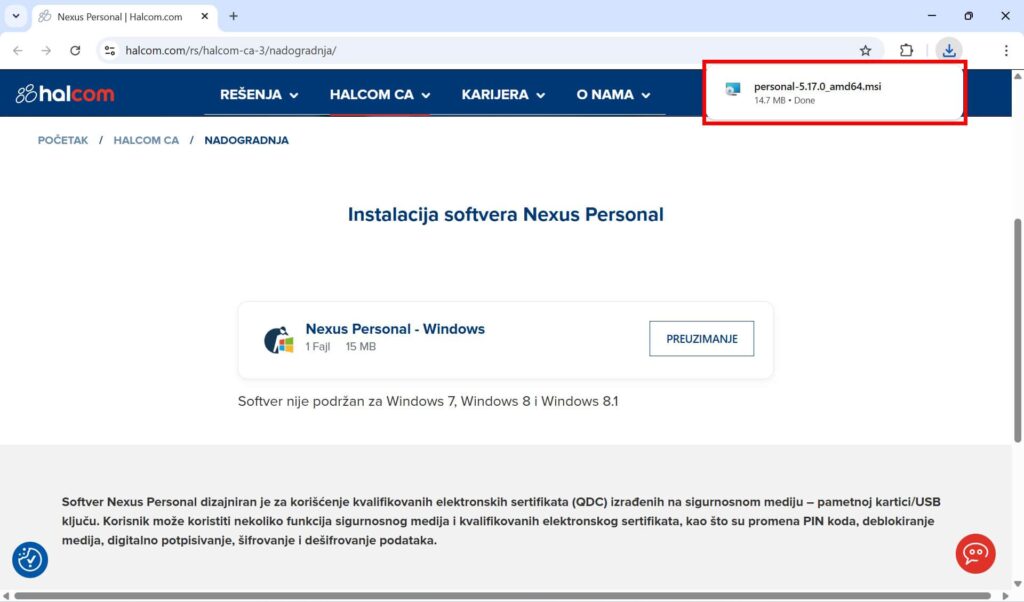
After opening the link you received via email, click on the option Preuzimanje
2
In the upper-right corner of the screen, click on the file personal-5.17.0_amd64.msi and wait for the installation to start.
(If the message “Do you want to allow this app to make changes to your device?” appears, click Yes)
3
Wait a few moments.
Once the installation is complete, the Nexus Personal program icon will appear in the lower-right corner of your computer (among the icons next to the clock and date).