The program for exporting digital certificate data is a service program intended for exporting public data from digital certificates stored on the smart card or USB key ONE FOR ALL. This program creates a Certificate of authenticity of the digital certificate, which contains all data required to verify the certificate ownership. Present a signed copy of the Certificate of authenticity to the bank, with which you have concluded an agreement on electronic banking.
BRIEF INSTRUCTIONS:
Insert your smart card into the reader or the USB key into the USB port.
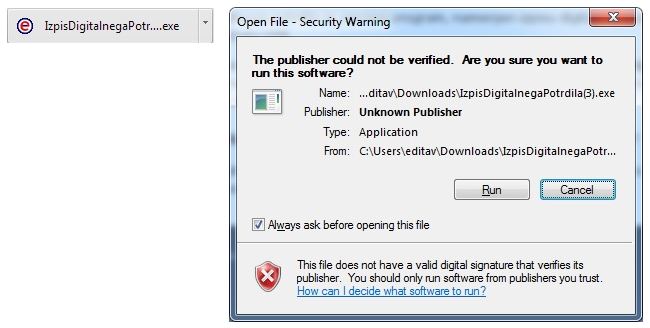
Run the program by clicking Run.
- For Internet Explorer:

- For Mozilla Firefox click Save file and then Run.
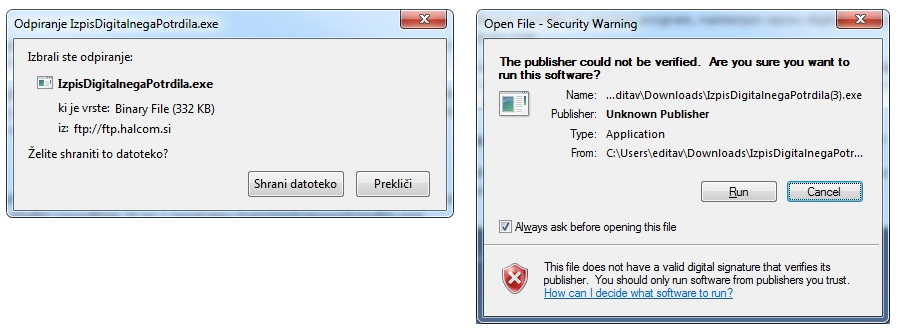
- For Google Chrome click on the digital certificate export program first (bottom left) and then click Run.
The digital certificate data is displayed as a Notepad file. The printout of the digital certificate must be signed by the holder and sent to the selected e-banking services provider (bank) as soon as possible.
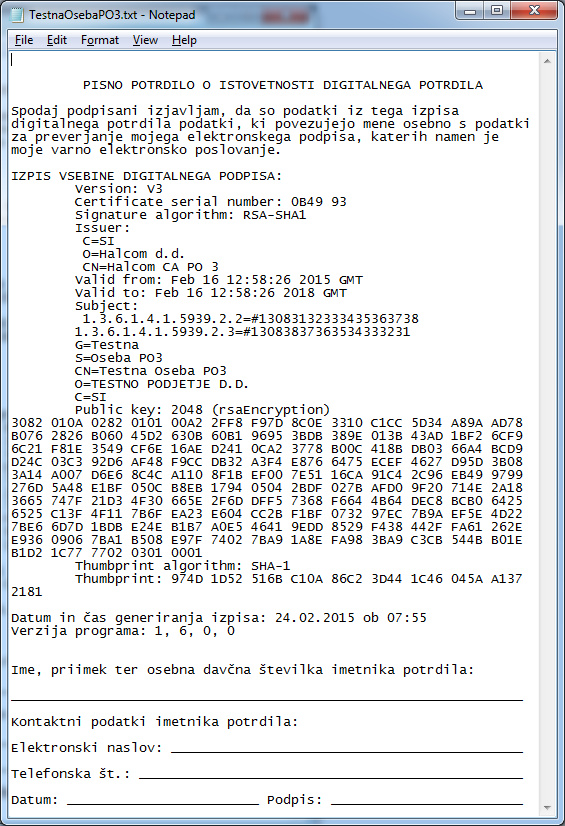
You MUST SEND the ORIGINAL signed Proof of Possession form to each bank listed bellow, with which you have an established business relationship and predefined authorizations for electronic banking usage.
| Bank: | Address for sending: |
| Addiko Bank d.d. | Oddelek transakcijskega bančništva, Dunajska cesta 117, 1000 Ljubljana |
| Sparkasse d.d. | send it to your designated relationship manager |
| BKS Bank AG, Bančna podružnica | Elektronsko bančništvo, Verovškova ulica 55A, 1000 Ljubljana |
| DH d.d. | Sektor Kontaktnega centra, Miklošičeva 5, 1000 Ljubljana |
| GB d.d., Kranj | Oddelek podpore poslovanju, Bleiweisova cesta 1, 4000 Kranj |
| LON d.d., Kranj | send it to your designated relationship manager |
| NLB d.d. | send it scanned to e-mail AdministracijaPO-STP@nlb.si |
| OTP banka d.d. | send it to your designated relationship manager |
| UniCredit Banka Slovenija d.d. | send it to your designated relationship manager |
Click here to see the procedures after the renewal.